📊使用Prometheus监控Linux系统
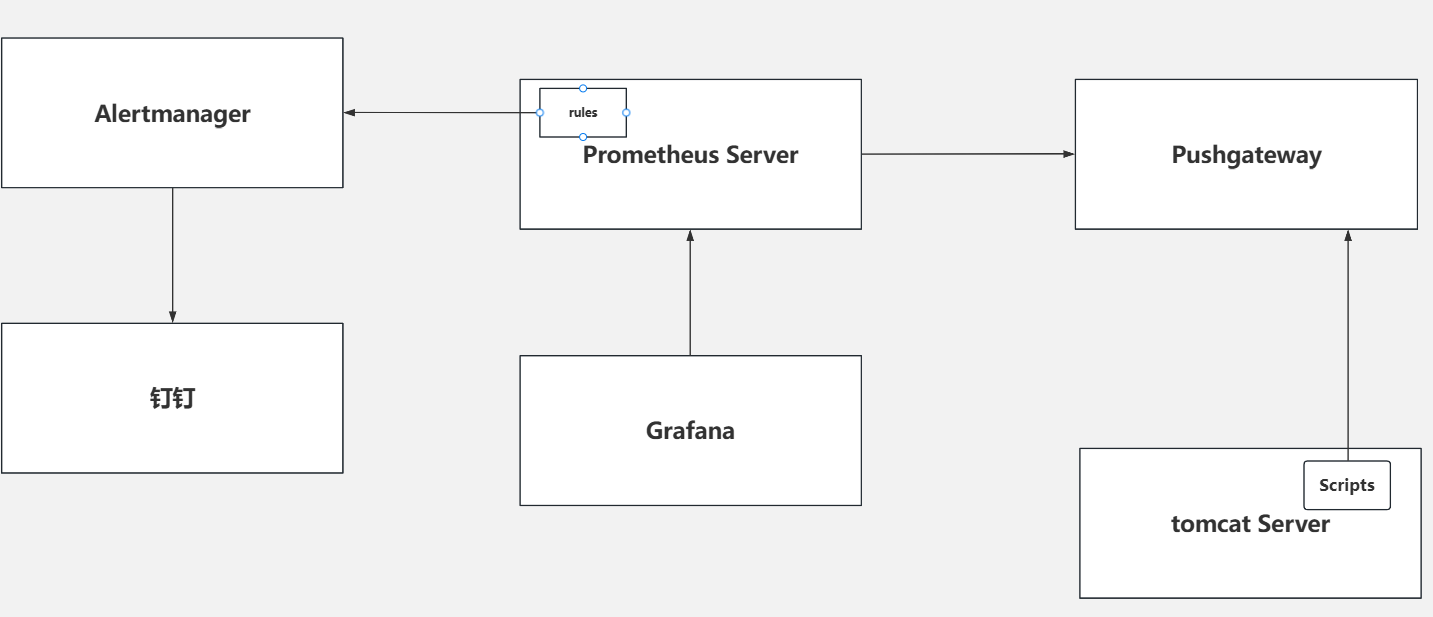
⚙️运行pushgetway
[root@node-exporter42 ~]# pushgateway --web.telemetry-path="/metrics" --web.listen-address=:9091 --persistence.file=/oldboyedu/data/pushgateway.data
🧩修改prometheus的配置文件
[root@prometheus-server31 prometheus-2.53.4.linux-amd64]# vim prometheus.yml
...

  - job_name: "oldboyedu-pushgateway"
    # 采集数据标签冲突是,远程的标签会覆盖本地Prometheus server的标签。
    # 默认值为false,有冲突时,则会使用源标签前加一个"exported_*"的前缀标签。
    honor_labels: true
    static_configs:
      - targets:
          - 10.0.0.42:9091
🔧编写脚本文件
[root@node-exporter41 ~]# vim  /usr/local/bin/df-alert.sh
#!/bin/bash

label="df"
df=$(df -Th |grep /dev/sda4 |awk -F '[ %]+' '{print $(NF-1)}')
echo "$label $df" |curl --data-binary @- "http://10.0.0.42:9091/metrics/job/$label/instance/10.0.0.41"
▶️执行脚本
[root@node-exporter41 ~]# bash /usr/local/bin/es_index.sh
📈查看prometheus的webUI
https://10.0.0.31:9090
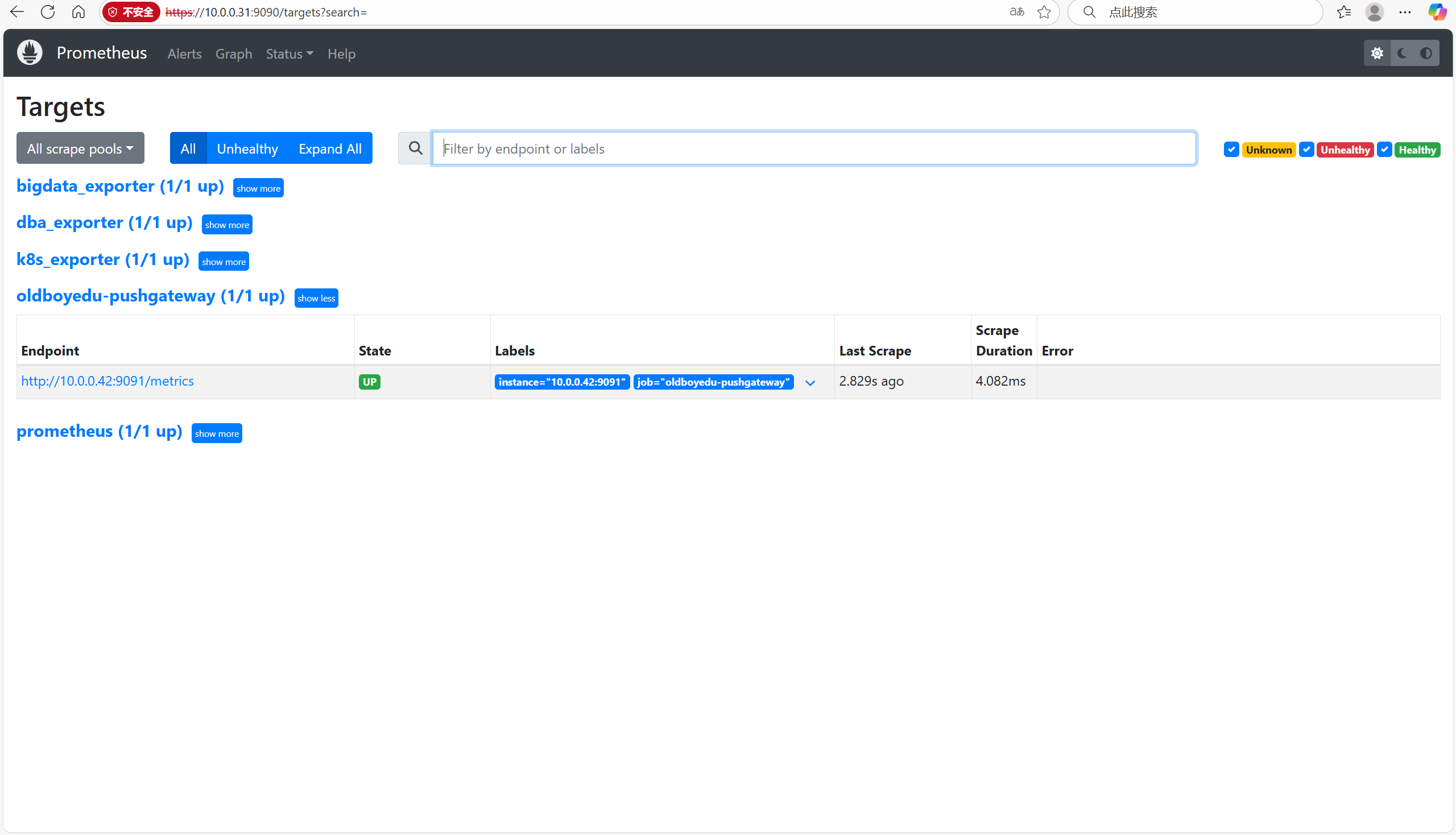
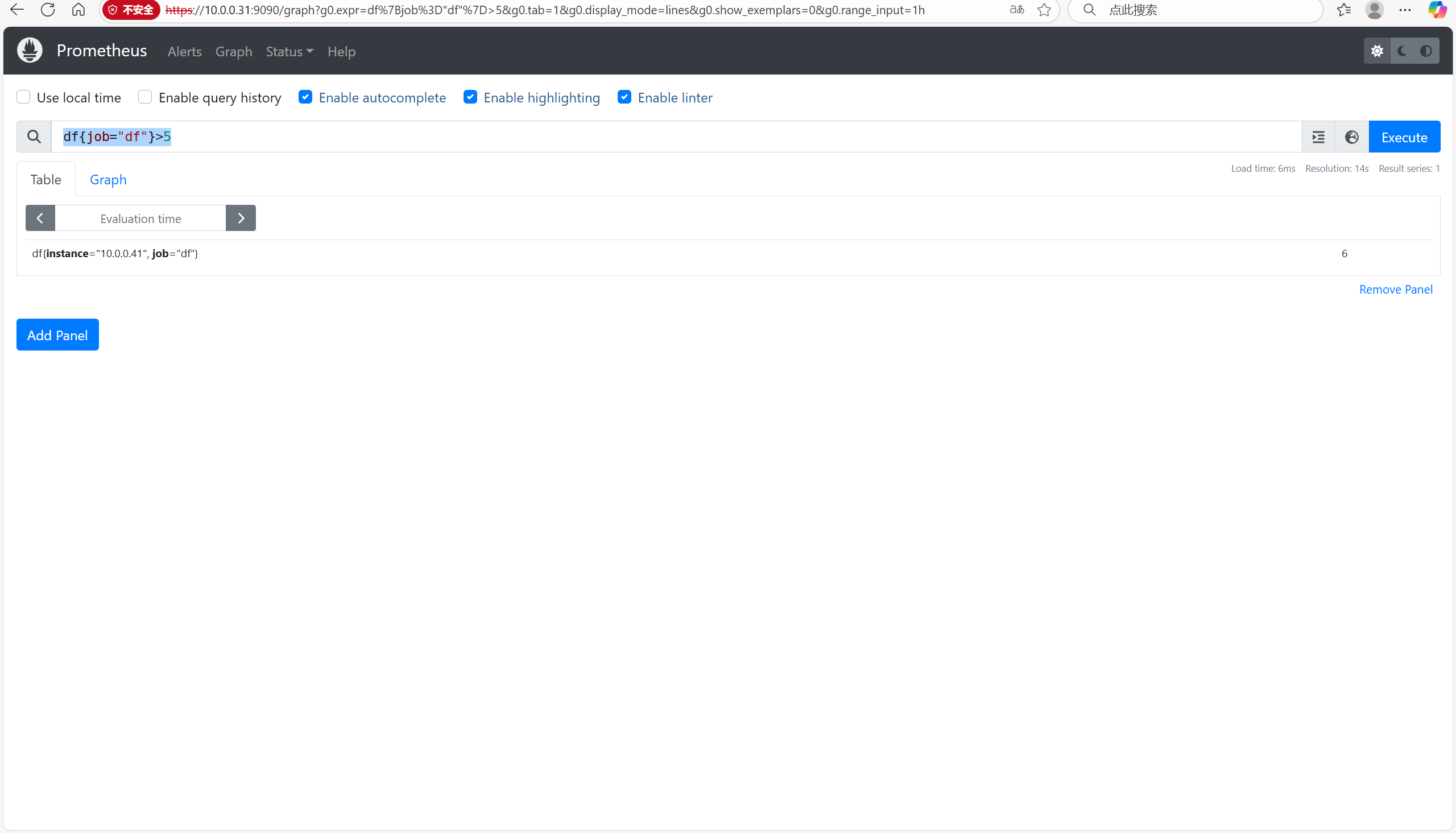
🔍查询数据
df{job="df"}>7
📦部署钉钉
💬注册钉钉并添加钉钉机器人
💻下载钉钉
📂解压文件
⚙️修改配置文件
[root@node-exporter42 prometheus-webhook-dingtalk-2.1.0.linux-amd64]# ./prometheus-webhook-dingtalk --web.listen-address="10.0.0.42:8060"
……
ts=2025-09-09T11:50:34.341Z caller=main.go:113 component=configuration msg="Webhook urls for prometheus alertmanager" urls=http://10.0.0.42:8060/dingtalk/linux/send

🚀启动钉钉插件
[root@node-exporter42 /usr/local/prometheus-webhook-dingtalk-2.1.0.linux-amd64]# ./prometheus-webhook-dingtalk --web.listen-address="10.0.0.42:8060"
……
ts=2025-09-09T14:38:36.415Z caller=main.go:113 component=configuration msg="Webhook urls for prometheus alertmanager" urls=http://10.0.0.42:8060/dingtalk/linux/send
⚙️修改Alertmanager的配置文件
[root@node-exporter43 /usr/local/alertmanager-0.28.1.linux-amd64]# cat alertmanager.yml
# 通用配置
global:
  resolve_timeout: 5m
# 定义路由信息
route:
  group_by: ['alertname']
  group_wait: 5s
  group_interval: 5s
  repeat_interval: 5m
  receiver: 'df-alert'
  # 配置子路由
  routes:
    - receiver: 'df-alert'
      match_re:
        job: df
      continue: true
# 定义接受者
receivers:
- name: 'df-alert'
  webhook_configs:
      # 指向的是Prometheus的钉钉插件地址【可以直接复制】
    - url: 'http://10.0.0.42:8060/dingtalk/linux/send'
      http_config: {}
      max_alerts: 0
      send_resolved: true

templates:
  - '/oldboyedu/softwares/alertmanager/tmpl/*.tmpl'
🧪检查Alertmanager配置文件
[root@node-exporter43 /usr/local/alertmanager-0.28.1.linux-amd64]# ./amtool check-config alertmanager.yml
Checking 'alertmanager.yml'  SUCCESS
Found:
 - global config
 - route
 - 0 inhibit rules
 - 1 receivers
 - 1 templates
  SUCCESS
🚀启动Alertmanager服务
[root@node-exporter43 /usr/local/alertmanager-0.28.1.linux-amd64]# ./alertmanager
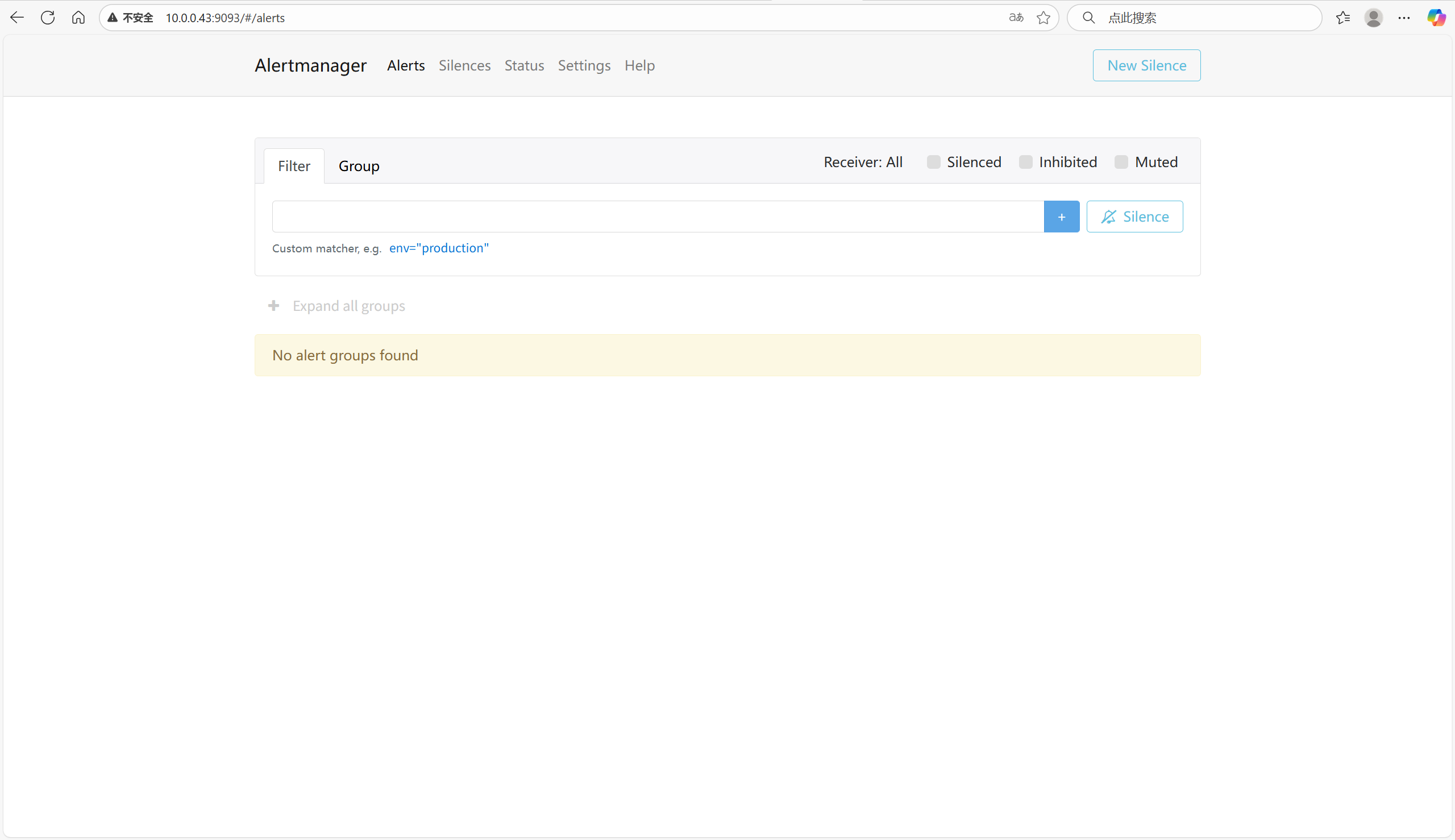
📈访问Alertmanager的WebUI
http://10.0.0.43:9093/#/status
⚙️修改prometheus配置文件
[root@prometheus-server31 /oldboyedu/softwares/prometheus-2.53.4.linux-amd64]# vim prometheus.yml
……
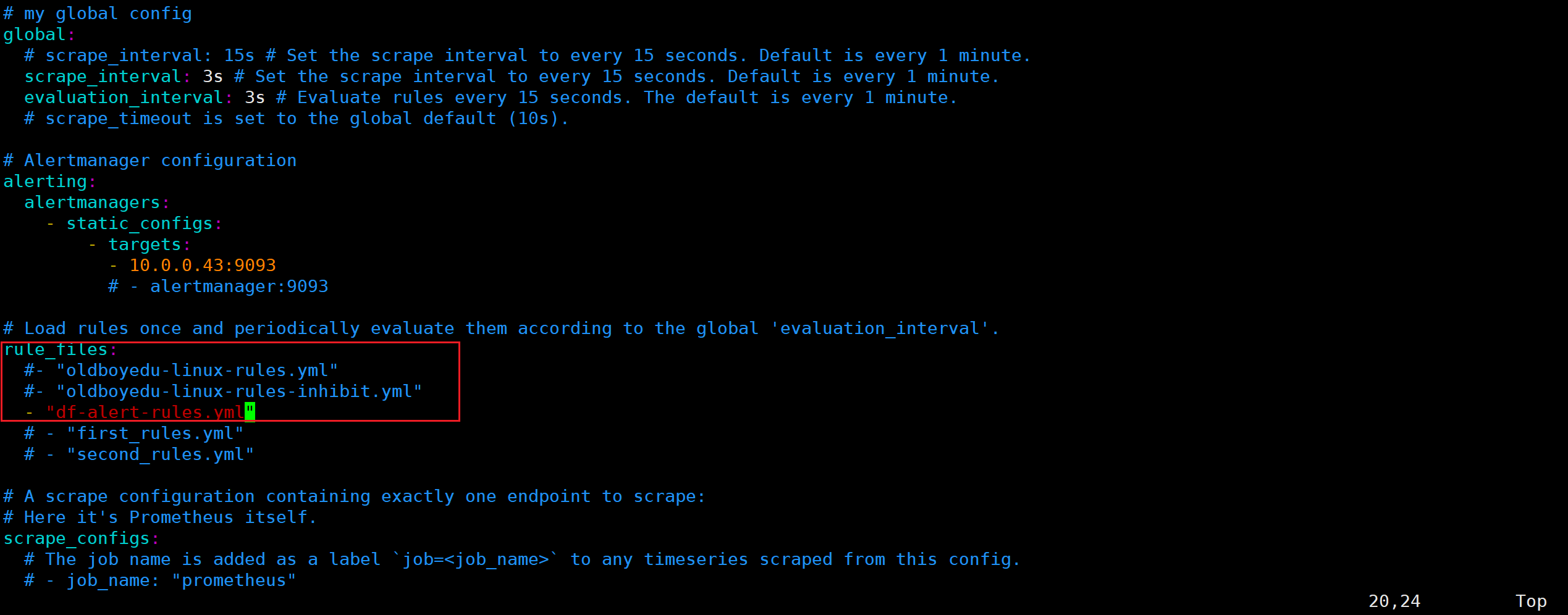
rule_files:
  - "df-alert-rules.yml"
……
🧩修改prometheus告警规则
[root@prometheus-server31 /oldboyedu/softwares/prometheus-2.53.4.linux-amd64]# cat > df-alert-rules.yml <<'EOF'
groups:
- name: df-alert-rules
  rules:
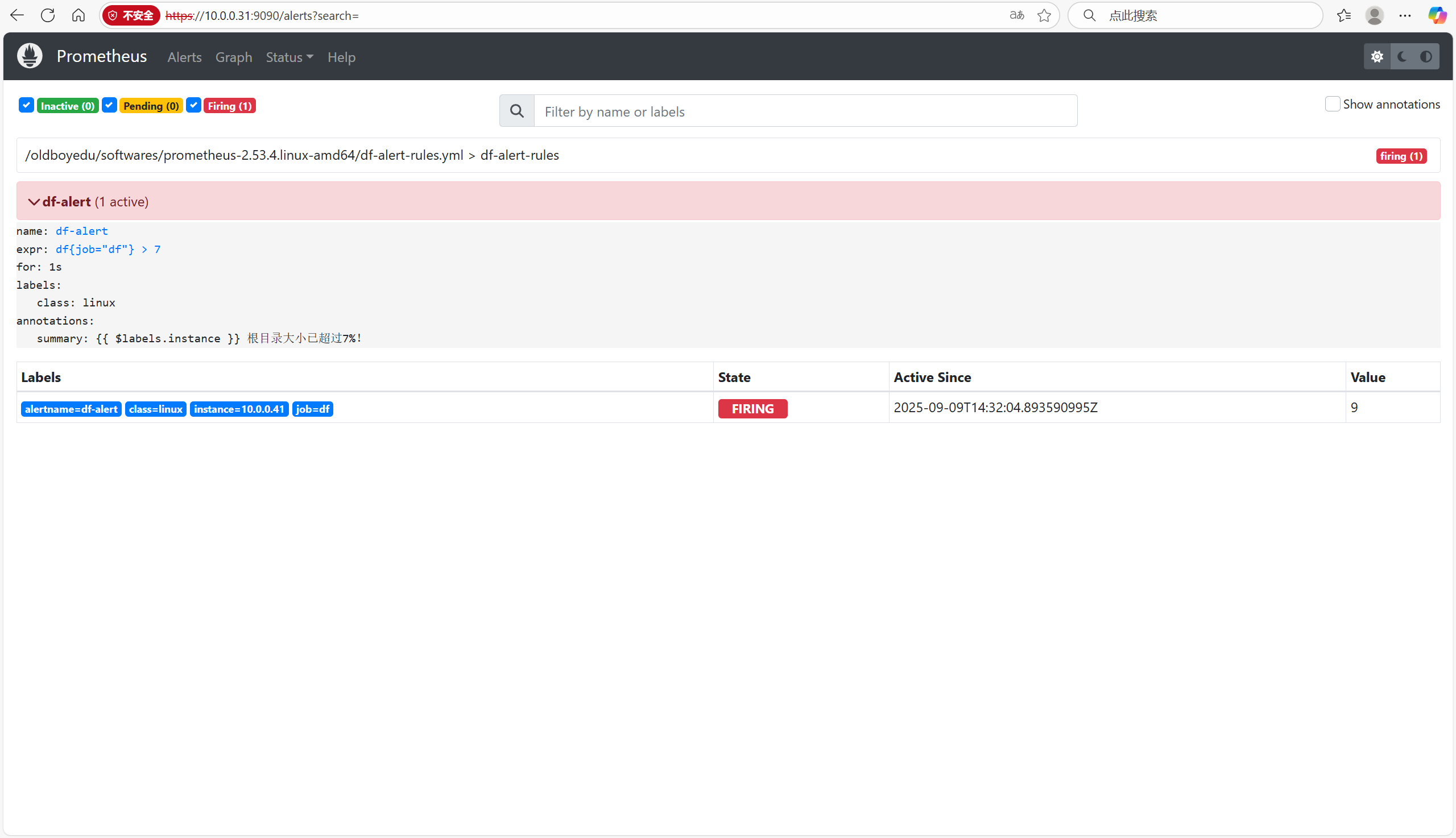
  - alert: df-alert
    expr: df{job="df"} > 7
    for: 1s
    labels:
      class: linux
    annotations:
      summary: "{{ $labels.instance }} 根目录大小已超过7%!"
EOF
🧪检查配置文件语法
[root@prometheus-server31 /oldboyedu/softwares/prometheus-2.53.4.linux-amd64]# ./promtool check config prometheus.yml
Checking prometheus.yml
  SUCCESS: 1 rule files found
 SUCCESS: prometheus.yml is valid prometheus config file syntax

Checking df-alert-rules.yml
  SUCCESS: 1 rules found
🧭测试
[root@node-exporter41 ~]# dd if=/dev/zero of=2g_file1 bs=100M count=20
[root@node-exporter41 ~]# df -Th /
Filesystem     Type  Size  Used Avail Use% Mounted on
/dev/sda4      ext4   94G  7.3G   82G   9% /
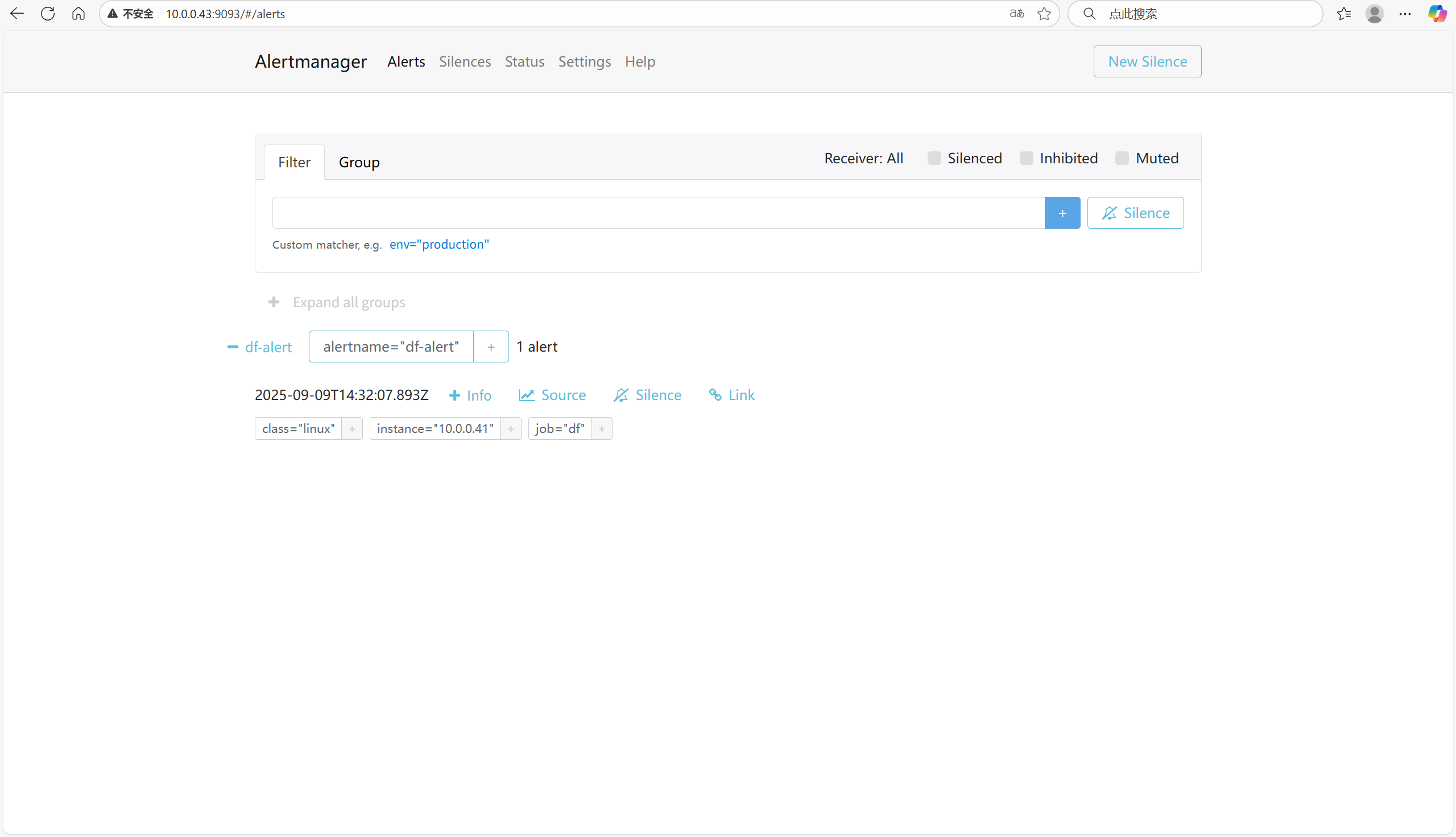
📊查看web
https://10.0.0.31:9090
10.0.0.43:9093
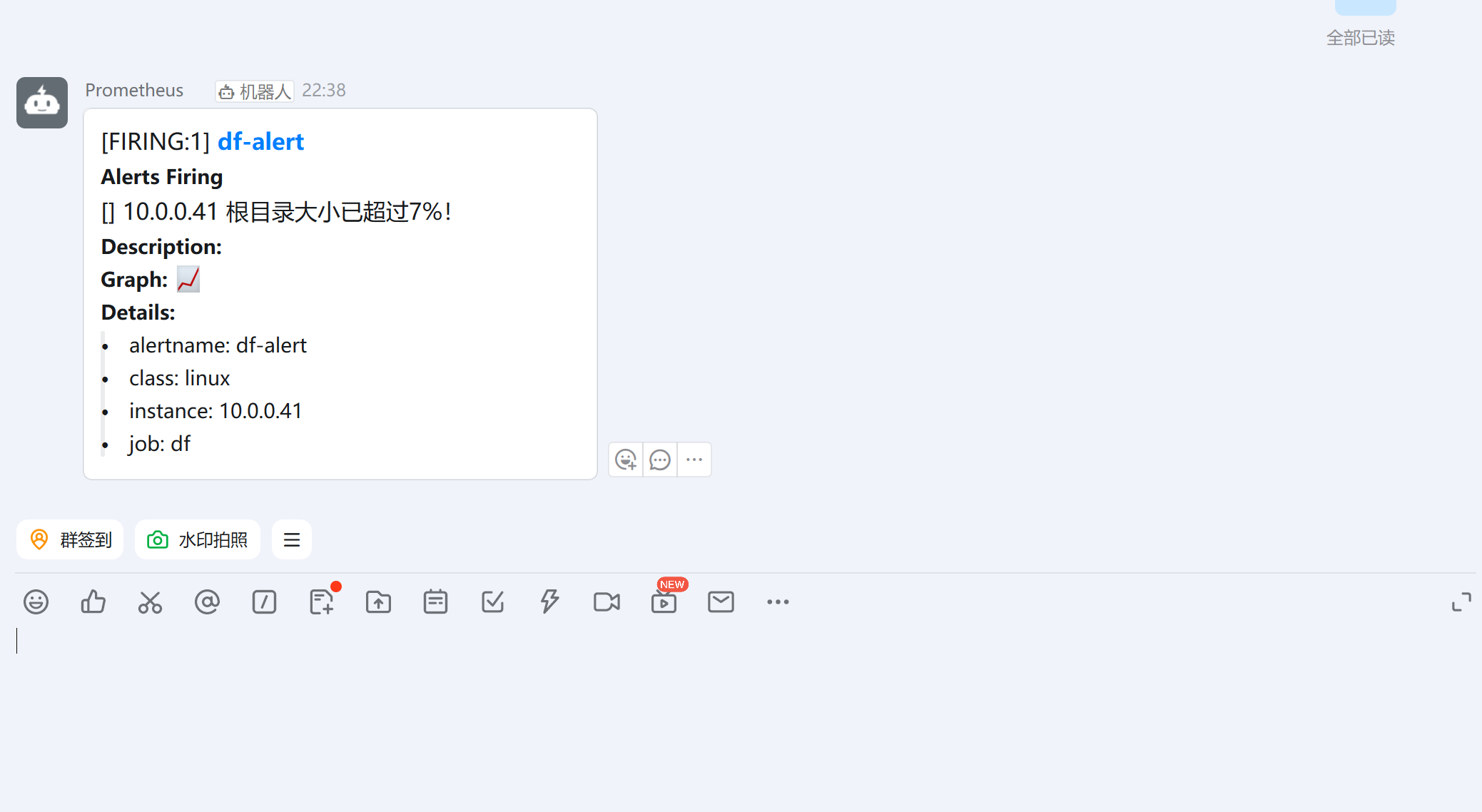
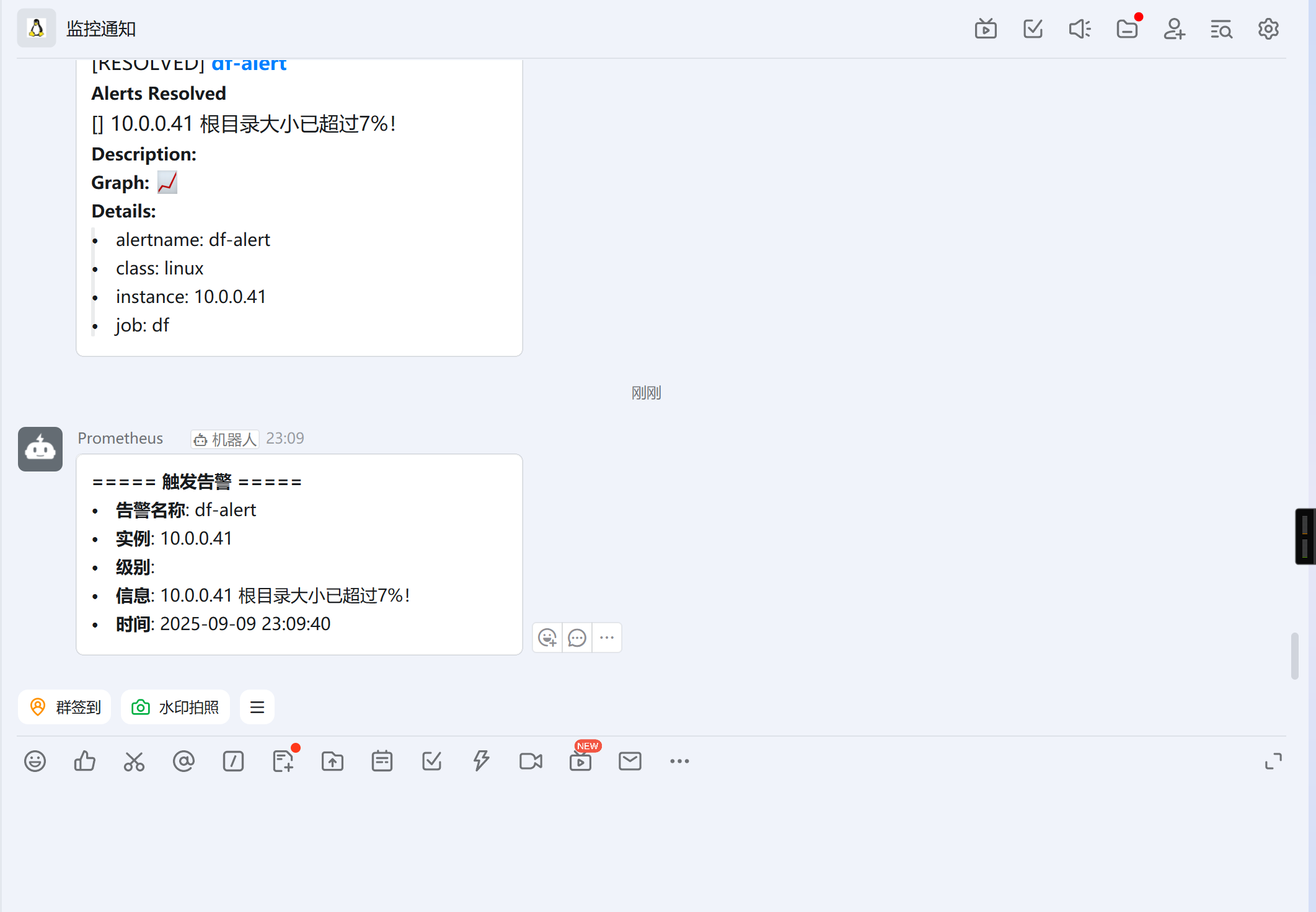
💬查看钉钉
🧠使用钉钉自定义模板监控
📂创建自定义模板目录
[root@node-exporter42 /usr/local/prometheus-webhook-dingtalk-2.1.0.linux-amd64]# mkdir tmpl
🧩编写钉钉自定义模板
[root@node-exporter42 /usr/local/prometheus-webhook-dingtalk-2.1.0.linux-amd64]# cat tmpl/dingding.tmpl
{{ define "dingtalk.title" }}
[{{ .Status | toUpper }}] {{ if eq .Status "firing" }}告警:{{ .Alerts.Firing | len }}{{ end }} {{ .GroupLabels.SortedPairs.Values | join " " }}
{{ end }}

{{ define "dingtalk.content" }}
{{ if gt (len .Alerts.Firing) 0 }}
**===== 触发告警 =====**
{{ range .Alerts.Firing }}
- **告警名称**: {{ .Labels.alertname }}
- **实例**: {{ .Labels.instance }}
- **级别**: {{ .Labels.severity | toUpper }}
- **信息**: {{ .Annotations.summary }}
- **时间**: {{ (.StartsAt.Add 28800e9).Format "2006-01-02 15:04:05" }}
{{ end }}
{{ end }}

{{ if gt (len .Alerts.Resolved) 0 }}
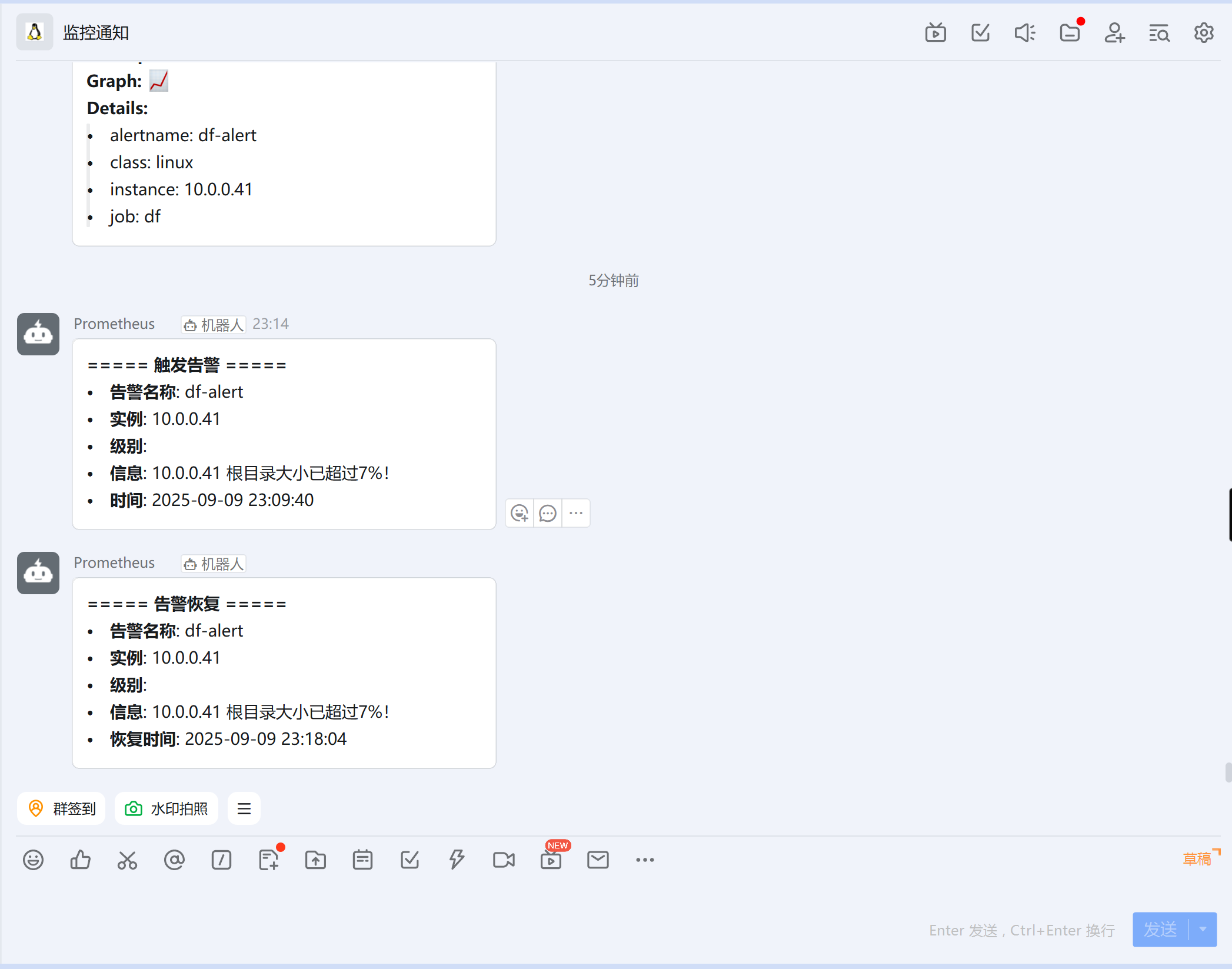
**===== 告警恢复 =====**
{{ range .Alerts.Resolved }}
- **告警名称**: {{ .Labels.alertname }}
- **实例**: {{ .Labels.instance }}
- **级别**: {{ .Labels.severity | toUpper }}
- **信息**: {{ .Annotations.summary }}
- **恢复时间**: {{ (.EndsAt.Add 28800e9).Format "2006-01-02 15:04:05" }}
{{ end }}
{{ end }}
{{ end }}
⚙️编写钉钉配置文件
[root@node-exporter42 /usr/local/prometheus-webhook-dingtalk-2.1.0.linux-amd64]# cat config.yml
templates:
  - /usr/local/prometheus-webhook-dingtalk-2.1.0.linux-amd64/tmpl/*.tmpl
targets:
  linux:
    url: https://oapi.dingtalk.com/robot/send?access_token=89c230ff606827590ede17b960b14879991a06e5030b6f6e7f793175e11ff691
    secret: "SEC94a3c26234b7e2d98739c8a318c83b43cd675fe6e52e4b82ef03ce72d551be60"
    message:
      title: '{{ template "dingtalk.title" . }}'
      text: '{{ template "dingtalk.content" . }}'
▶️再次执行脚本文件
[root@node-exporter41 ~]# bash /usr/local/bin/es_index.sh
💬钉钉查看
🧹删除测试数据
[root@node-exporter41 ~]# \rm -f 2g_file1
▶️再次执行脚本
[root@node-exporter41 ~]# bash /usr/local/bin/df-alert.sh
💬钉钉查看
.jpg)